Turning Lenovo M720q Tiny into a 3-SSD TrueNAS box
Some time ago I replaced my custom pfSense router with a UniFi Cloud Gateway Ultra. That left me with a Lenovo Tiny PC sitting on the shelf with no real purpose. Instead of relying on an old external HDD for storage, I liked the idea of turning the M720q into a small NAS.
My first idea was to connect a few HDDs directly, but that would mean keeping the drives outside the M720q with messy cabling. Then I started wondering: could this be an SSD-only NAS, and how many drives can actually fit inside a Lenovo M720q Tiny?
Parts
- PCIe riser card – already had
- Ugreen PCIe NVMe adapter (link to Amazon)
- 2× Patriot P320 2TB NVMe SSDs
- Existing SATA SSD for the OS
Putting it all together
Out of the box the M720q supports one NVMe SSD and one SATA SSD. By using a PCIe riser with an NVMe adapter, there is just enough space to add a second NVMe drive, giving a total of three SSDs.
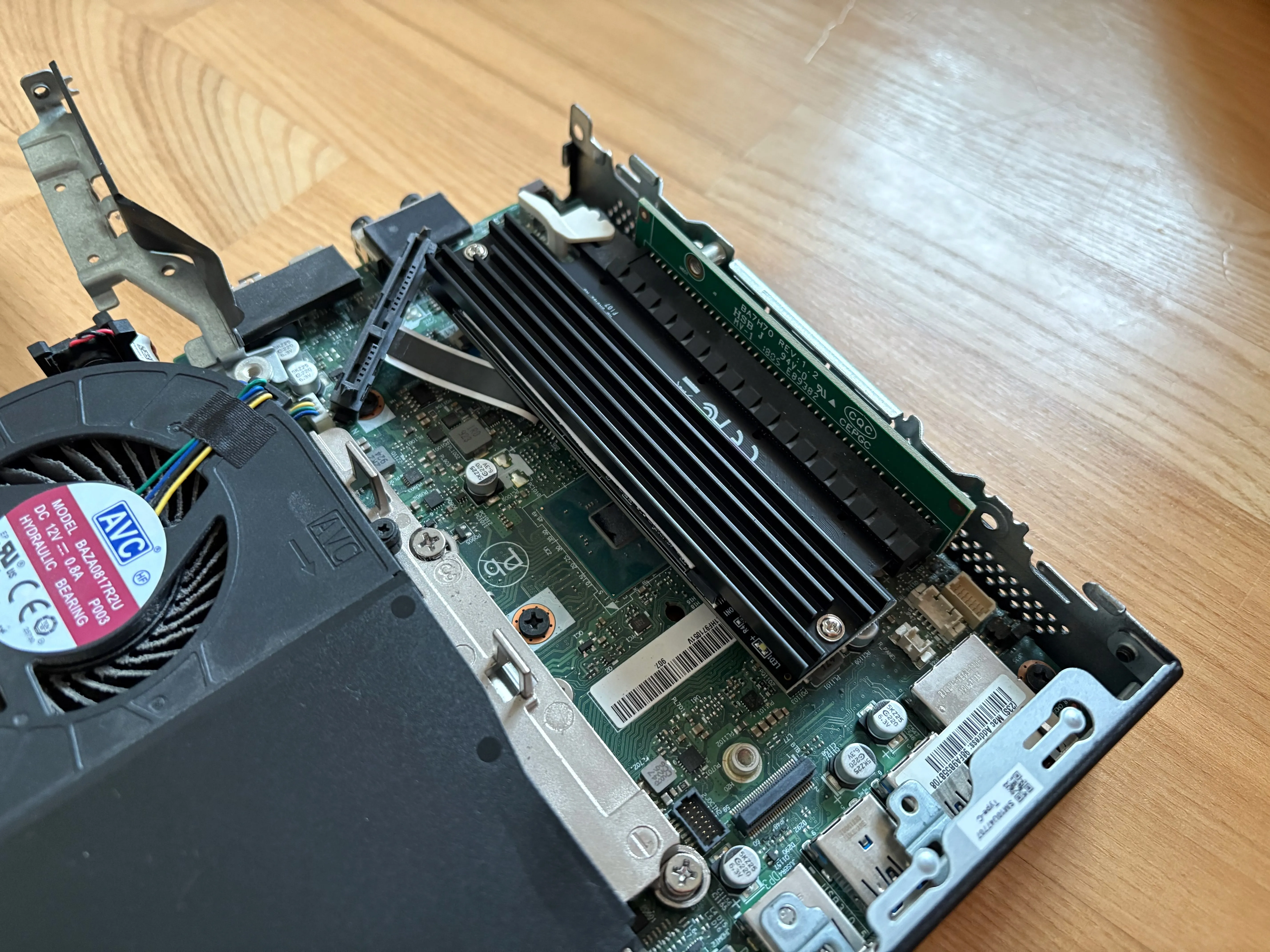
The SATA SSD ended up resting on top of the NVMe drive without its original enclosure, so airflow is probably optimistic - but everything fits and the case still closes.
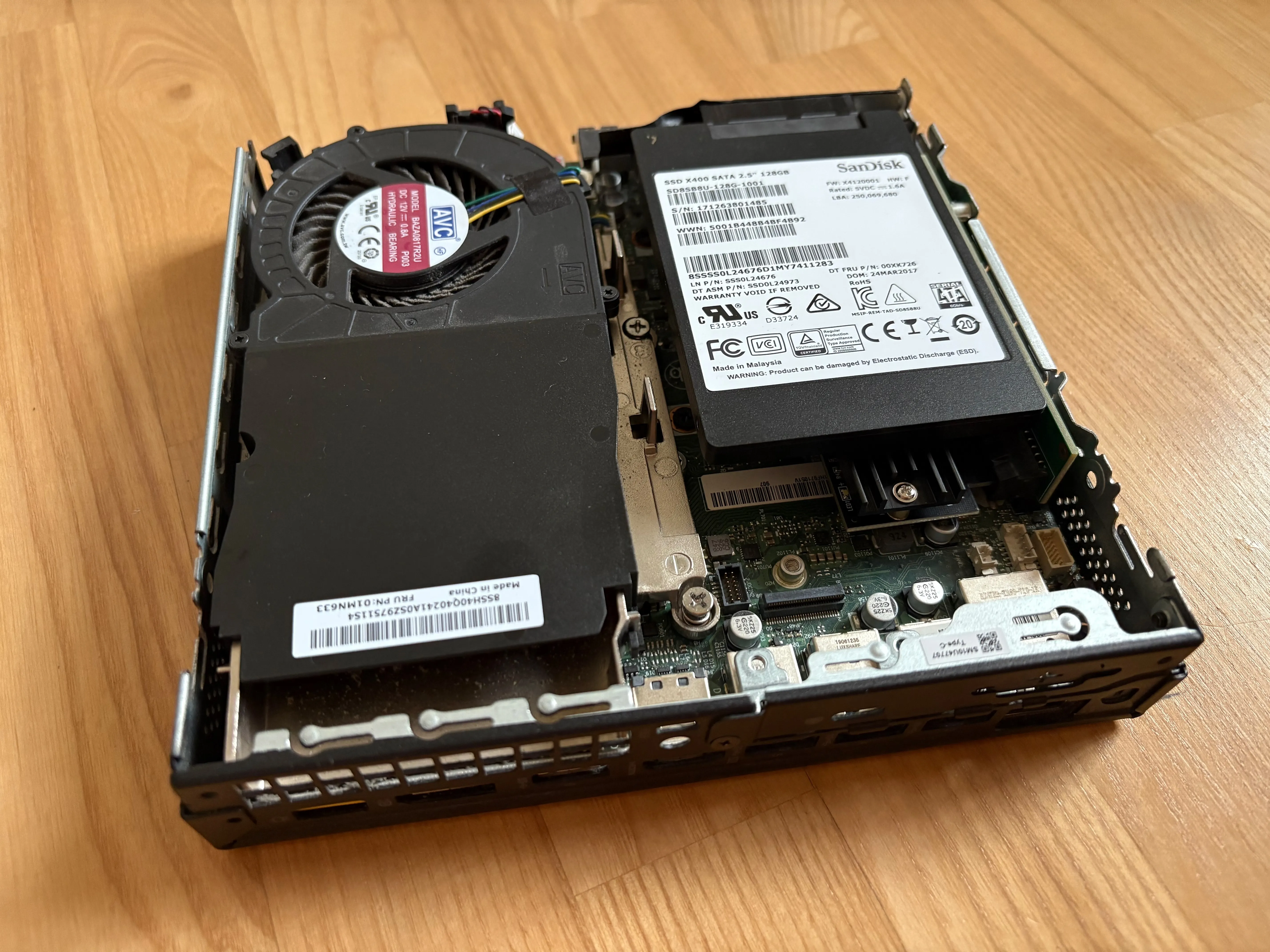
I installed TrueNAS Scale. The two NVMe drives are configured as a mirrored ZFS pool, with the SATA SSD used only for the OS.
Planned usage:
- NFS shares for my Proxmox node
- Samba shares for local file storage
- Time Machine backups for my MacBook